Autodesk releases 123D Make Intro mobile app — turn 3D models into 2D build plans

3D design into 2D diy kit? There’s an app for that.

Just when you thought it was easier than ever to design and make stuff using Autodesk’s 123D suite of apps, today Autodesk has released an iOS version of their model-and-make software tool, 123D Make.

123D Make Intro iOS app is FREE and available for the iPhone and iPad.

123D Make is also available as a web-based and PC application, and — as of today — as a Mac OSX application.

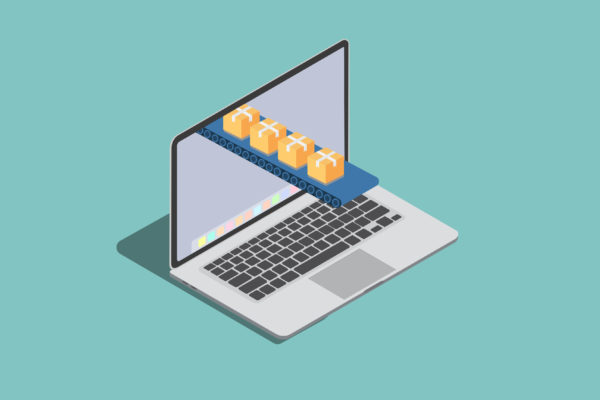
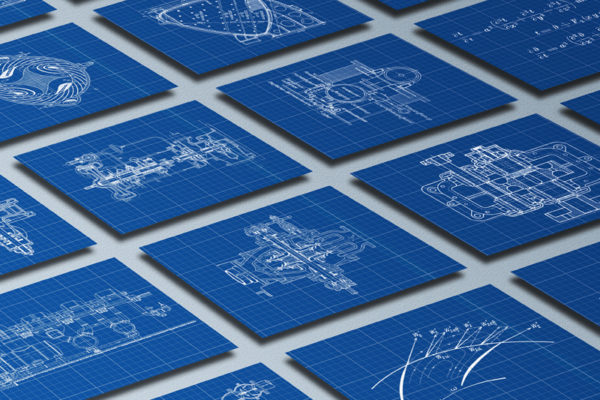
So what does it do, exactly? 123D Make is all about converting your 3D models into 2D pieces for easy assembly, complete with animated instructions. You can print out the patterns and cut the pieces yourself or — thanks to the Ponoko Personal Factory API — you can have your pieces lasercut & shipped to your door.

(more…)

Related posts:

Autodesk announces updated 123D site plus what’s in store for 123D app suite!

What’s new and what’s coming soon from Autodesk 123D


Autodesk, creators of some of the most popular design software on the market, recently announced a completely updated 123D site — where you can turn your design files into real products.

The company has also released news on what’s coming soon for the 123D app suite, a collection of 4 free and easy to use design tools also available on the 123D site.

Autodesk 123D + Ponoko Personal Factory API


Autodesk’s 123D website uses Ponoko’s Personal Factory API to handle the magic that happens between the digital design and the real-life product.

Since the beginning of our partnership last year, we’ve been pairing Ponoko’s pioneering technology and expertise in the make-it-yourself movement with Autodesk’s ingenuity and talent for developing powerful design software.

We want the Personal Factory API to create a whole new market of product creation and customization apps; so we are really excited about the continued development of the 123D site and expansion of the 123D app suite. Here’s break down of what’s new and what’s coming soon from Autodesk 123D!

(more…)

Related posts:

PotteryPrint: the new 3D printing iPad app for kids

With the right technology, 3D printing is child’s play.

PotteryPrint is a truly exciting new iPad app that lets children use a virtual pottery wheel to create completely unique works of art ready for 3d printing.

The PotteryPrint team is currently seeking funding through Kickstarter to take their prototype to deployment.

They’ve got 20 days and $10,000 to go. You can support the project for as little as $1, and they’ve got some great pledge rewards including a home-baked dozen of your favorite cookies!

I talked to Brian, Cameron and Shlok from PotteryPrint to find out more about this app, their inspiration behind the project, and their thoughts on the intersection of technology and childhood education.

First up, can a kid really use a 3D modeling app?
Kids can do amazing things if given the right tools, but until now the majority of 3D design software has been created using traditional CAD-based software which is often complex and takes some training to use effectively.

The amazing thing about tablets is that the touchscreen interface just clicks with kids. I (Cameron) have a two year old and four year old — both can easily navigate the family iPad: pointing at something comes far more naturally to children than using a mouse. The combination of touchscreen and the malleability of clay makes PotteryPrint immediately accessible to kids. It calls on something natural, something primitive. Your hands, making something.

(more…)

Related posts:

Ponoko announces Tinkercad 3D design app in the Personal Factory App Gateway

plus a chance to win a sample pack of 3D printing materials!

Tinkercad has just released the latest version of their browser based CAD and 3D modeling application, and this version allows users to send their designs to Ponoko’s 3D printing services directly through the app.

Tinkercad’s got a new look, a new logo, and an improved user interface designed to get things done fast and to be quick to learn. With only three basic tools you can create a wide range of useful things. And best of all, you can send your designs to be 3D printed — all within your browser.

“We’re seeing a whole new range of CAD products being developed that make designing in 3D easier than ever,” says Ponoko CEO David ten Have. “Integrating those products directly with fabrication services means it’s also easier than ever to turn those designs into final products.”

Ten Have is very excited to see the addition of Tinkercad to Ponoko’s directory of product creation apps — the Personal Factory App Gateway.

(more…)

Related posts: